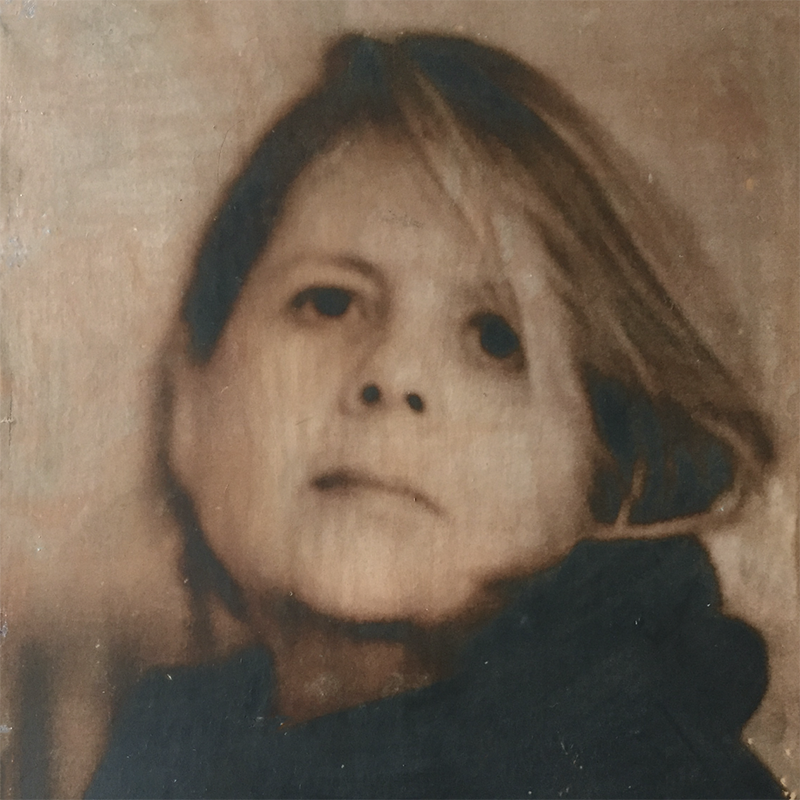
Yes… you can do photo transfers with inkjet prints.
I hear it all the time—“You can’t transfer images from an inkjet print. It has to be a laser print.” And honestly, I’m not sure where this myth began, but it’s one of the most persistent misconceptions in photo encaustics.
But here is the truth….both my Epson R2880 and Canon Pixma inkjet printers work beautifully for image transfers. These are the exact printers I use in my workshops and the results are consistently clean, crisp, and reliable.
Laser prints do work, of course, but I often prefer inkjet transfers because I can remove more paper fiber during the rubbing stage. That means less haze, less residue, and a cleaner image on wax.
If you’re exploring image transfers (or learning photo encaustics for the first time), this is exactly the kind of technique I teach inside The Artistic Image, my comprehensive online encaustic photography course:
To begin, when you prepare your board, there are two equally important things to remember.
- Your surface must be smooth. Any divots will prevent the ink from burnishing into the wax.
- Your wax must be free of oils or acrylics. Transfers only work on pure encaustic medium—oil paints, pigment sticks, and acrylic gesso all interfere with adhesion.
Flip your image horizontally before printing so it reads correctly when transferred.
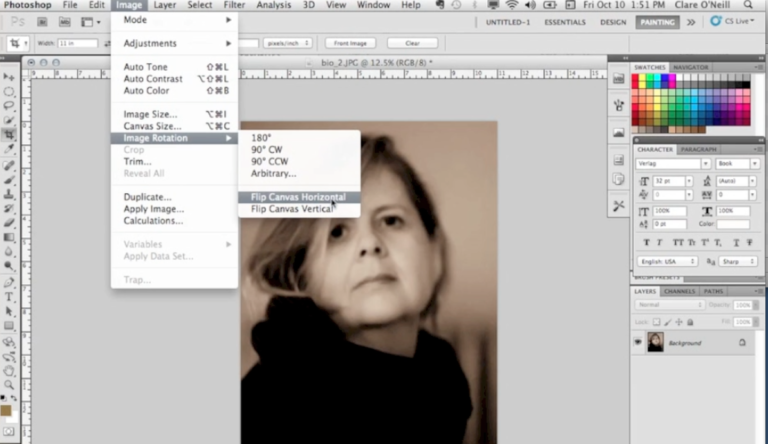
After I’ve ‘flipped’ the image I print it on an inkjet printer using Epson’s Ultra Premium Presentation Matte photo paper.
Here is an example of a board with a gold wax finish on it.
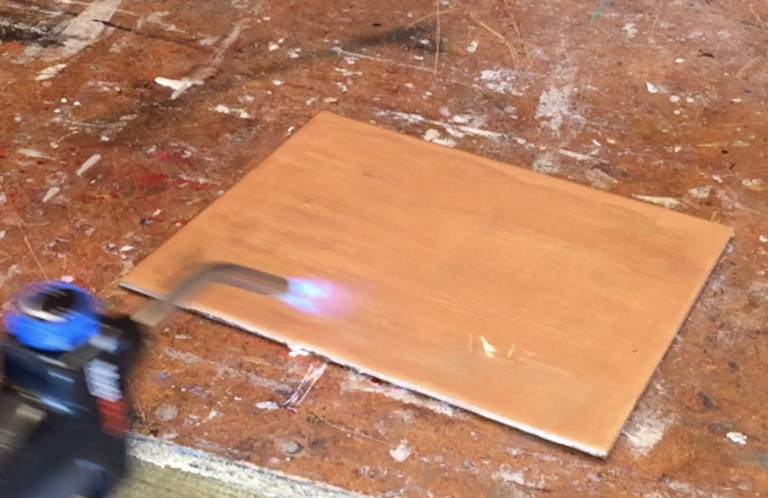
The wax on your substrate should be slightly warm. If it has been sitting for a period of time, hit it again with the heat gun or torch.
Make sure your wax is slightly warm—just enough that it accepts the print, but not so warm that it dents under pressure.
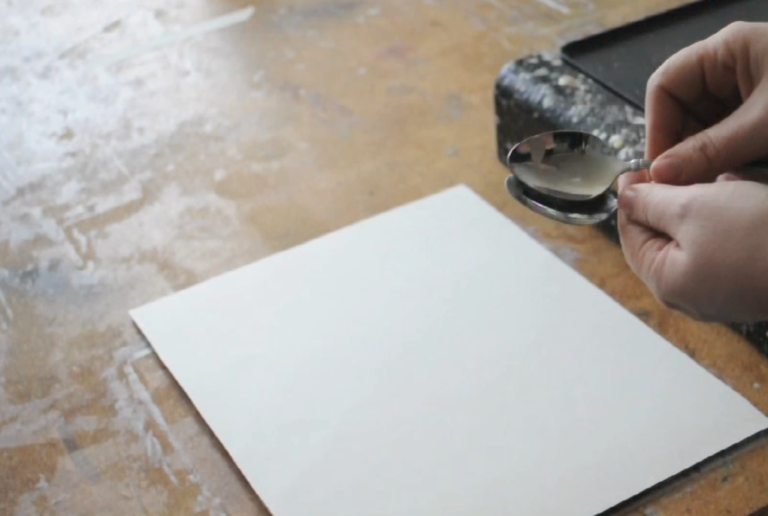
Lay your inkjet print face-down and burnish it well. You can use the back of a spoon or, if you get hooked on this process, a printmaker’s burnisher.
There’s no exact formula for pressure or time—this part is learned through feel. If you don’t burnish enough the ink will lift when you remove the paper.
There is no harm in burnishing too much.
Now put water on the back of your image….enough to cover the image, but not too much. Let it sit for 30 to 60 seconds.
Begin rubbing firmly with your fingers. If the paper is too dry add a little water with your fingers. The paper will rub off slowly at first, but once you get it started it will remove much easier. The amount of pressure you use will have to be trial and error on your part. Rub too hard and the ink will lift up with your force. Rub too softly and it will take too long and the inks will start to break down with the water.
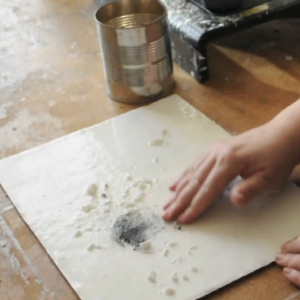
I’ve found that using a photo paper allows me to remove the paper easier than toner prints with copy paper.
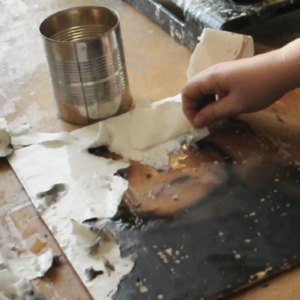
Once it’s dry you will need to put a layer of medium over the image and fuse.
And then the fun begins—texture, pigment, scraping, sculpting, and all the expressive parts of encaustic that make this medium so captivating.
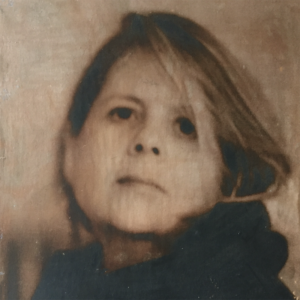
Hints: If you get a bunch of pot marks where the image didn’t transfer, rub your finger lightly over it and see if you can feel the davit. The ink jets from the print will not be able to be burnished into divots. That’s why you need an incredibly smooth surface to begin.
Also, for this to work make sure your printer uses pigment inks and not dye based inks. Technology is always changing (as I’m sure we all know) but generally dye based inks consist of colorant that is fully dissolved in a liquid. These inks are lower in costs with the disadvantage that they are water soluble, where a drop of water could ruin a print. And the prints fade faster and are therefore not considered archival. Pigment ink consists of very fine powder of colorant in a liquid carrier, is archival, and stands up to the small amount of water used to rub off the paper from a photo transfer.
To find out if your printer is pigment or dye based, you’ll want to do some research online or contact the manufacturer of your printer directly.
So tell me, what has your experience been with using ink jet prints for photo transfers? Do you prefer one process over the other (toner based vs inkjet)?
Be well….be creative,
Clare
Learn how photographs, wax, and intuition come together.
View my photo encaustic classes, courses, and workshops.
I have found that the Epson Ultra Premium Presentation Matte Paper you recommend really is the best paper for this job. Some papers really do not work well with transfer. I notice the Epson paper has a coated side for printing so maybe that is why it works so well.
Thanks Carol. I haven’t tried a bunch of different papers because I know that the Epson Ultra Premium Presentation Matte Paper works so well. I have tried the 3* Epson paper and it didn’t hold the inks as well and the transfer was lighter. So the 5* Epson is the best for transfers.
Clare: Can you use copy paper with this transfer process. My epson P600 printer will print on this paper with no problems.
Thank you for your time. Douglas Wood
You can, but copy paper doesn’t hold the inks well and won’t be as nice a transfer as using a matte photo paper.
Thank you for sharing your expertise with us. I will answer again after getting used to the process. Being able to use my Epson printer is a big thing for me.
I actually stumbled upon it one day as I thought that I couldn’t use it either. I was explaining to a private student how it would be done and since we didn’t have any laser prints was going through the motions with an epson print. I told him it wouldn’t work because it wasn’t laser but that I would walk him through the steps. I was so totally surprised that it worked…..and in my opinion, better than a laser print:)
Do you find a fresh printed image works better? I have also seen people leaving comments that if the image has been sitting around for ages its isn’t as good. I can’t think of any reason for that to be true, unless it was a dye based print I guess.. Thanks !
Yes, I forgot to mention that…..a fresh printed image tends to work better than one sitting around for months. I guess the ink just bond to the wax better. I’m not sure of the physics of it all though.
Thanks Clare. I still find it hard to get a completely flat surface, especially as I work quite large! Do you just lay one wax layer for your transfers?
Also, when embedding a tissue paper image I guess a sightly ‘lumpy’ surface is more accepting than when doing a transfer because it doesn’t matter if the tissue paper image buckles a bit…
Thanks!
Hi Judy, getting a smooth surface is indeed one of the hardest parts of a transfer! It’s your choice how many layers you want to put down before your transfer. There is no magical number.
Thanks for the blog post. I was unaware that it was making it around the internet that one cannot use a ink jet printer. When I give an encaustic art workshop I’ve been telling students to use an ink jet with pigment inks if they are interested in photo transfer. You are still the best to refer to. I’ll start referring students to you for your photo encaustic workshop course I took a couple years ago. You’re such a trustworthy source, thanks.
Yes, I see it frequently that you can’t use an ink jet printer that it has to be a laser print for transfers. I think the issue is that many inexpensive printers are dye based printers, but most serious photographers have an investment in ink jet photo printers that work beautifully for transfers. Those with dye based printers find they can’t do it.
Thank you for the kind words and any referrals:)
You are sooooo very correct. I found out recently that probably most inkjet printers for non artist type people are dye or a combination of pigment for black and dye for color and thus the disappointing results. I hate to get another printer that is just pigment but I don’t see an easy fix. I think that this topic that all injet printers are created equally is very much ignored on the techniques you see on You Tube etc. I have had minimal results with my pigment/dye Canon printer. The person at “Inkaid” was very elitist when I asked him why his company did not make a product for the inkjets that most of us have. I refuse to join the “Elitist” cult type artist mindset that some have and consider non artists as not worthy of transfer.
Thanks for sharing your knowledge its very much appreciated .
thanks for this conversation.
I used my inkjet printer for image transfer
It worked fine. It is a cheap cannon.
I haven’t used the color, only black and white so far.
The Lasier print works good too.
I will try Epson premium matt paper with the inkjet.
I have been using the cheapest paper and it seems to stick to the wax too easily.
I saw a youtube on pouring your wax on the surface.
You use painters tape around the edges of the board
to maintain the edge and leaving 1/4 inch of tape over the edge to hold the wax. You spoon the wax in and smooth out the surface lightly with a heat gun.
I’m going to try it.
I don’t have a website but my work is on pinterest
You mentioned when dry apply a medium over the image
What is the medium you use please
Hi Jennifer, I get my encaustic medium from Swans Candles, but R&F or Enkaustikos make great medium as well.
Yes! Thank you. I’ve been doing this and keep wondering what people are talking about?????? I us plain’ole prinyer paper most of the time.
Glad it is a helpful blog for you Theresa. There is a lot of mis-information swirling around regarding photo encaustics!
Hi there. I always wondered about this, and do have a pigment ink printer, so that’s great! Question please….after the paper is all rubbed away, do you typically do a gentle fuse to set it, like with a toner transfer? I know that properly fused toner transfers can be used as a top layer, but I’m wondering if this type HAS to have a layer of medium over? Thanks!
Hi Suzanne, you have to put a layer of medium over it and then fuse. If you fuse without the medium it will create a weird crinkle effect that isn’t nice. So put a thin layer of medium over it, fuse, and keep working! Good luck:)
I always assumed you shouldn’t use inkjet printers for artwork because the ink fades pretty fast and laser prints are more lightfast, not because it can’t be done.
Just the opposite. Archival inkjet printers are just that…..Archival. Laser printers are not archival and will fade. Archival Inkjet printers are what all the fine art photographers use for all their archival work. They are the most archival we have today.
Hello, once I’ve transferred my main photo onto the wax surface, covered with wax and fused again, can I then transfer another photo onto this surface? Repeat the process in a layering effect? Thank you!
Yes. There is no reason why you can’t do this.
Hello Clare
could you prime your substrate with encaustic gesso to do this transfer or would it be better with clear wax ( or even white wax?)
thank- you for taking the time to reply its really appreciated!
Monica
Hi Monica. I don’t use encaustic gesso on my boards, but you can certainly do that if you’d like to. My first layer is usually clear medium and I go from there. Your background can be created as you wish:)
thanks so much for your reply Clare. Am I right in assuming that the only benefit to using gesso would be the white back ground it would give? good to know it can be done directly onto the substrate. have a great day
Monica
Since I don’t use gesso I’m probably not the best person to advise on all it’s benefits. That is one of the reasons people use it, because of the white background it provides. But it’s not necessary.
Thank you so much for this article. I kept reading that the inkjet wouldn’t work but I am stubborn and tried it and it worked beautifully for me. Thank you again for this myth-busting read.
Glad it was helpful Mary. I’m not sure why so many are adamant about it not working with ink jet printers!
This looks like my next adventure. i have a cannon with dye + pigment black so I’l hafto shop for a full pigment printer. Suggestions.?
Hi Doug, here’s another blog post that might help you figure out a new printer. https://photoencaustic.com/investing-in-a-new-printer/
This is a very useful article. May I ask what wax you are using or would recommend. I realise this is an old post but hopefully you might pick up my message! Many thanks in advance. Adrienne
I would recommend Enkaustikos or R&F for their encaustic medium.